Source to Pay Dashboards
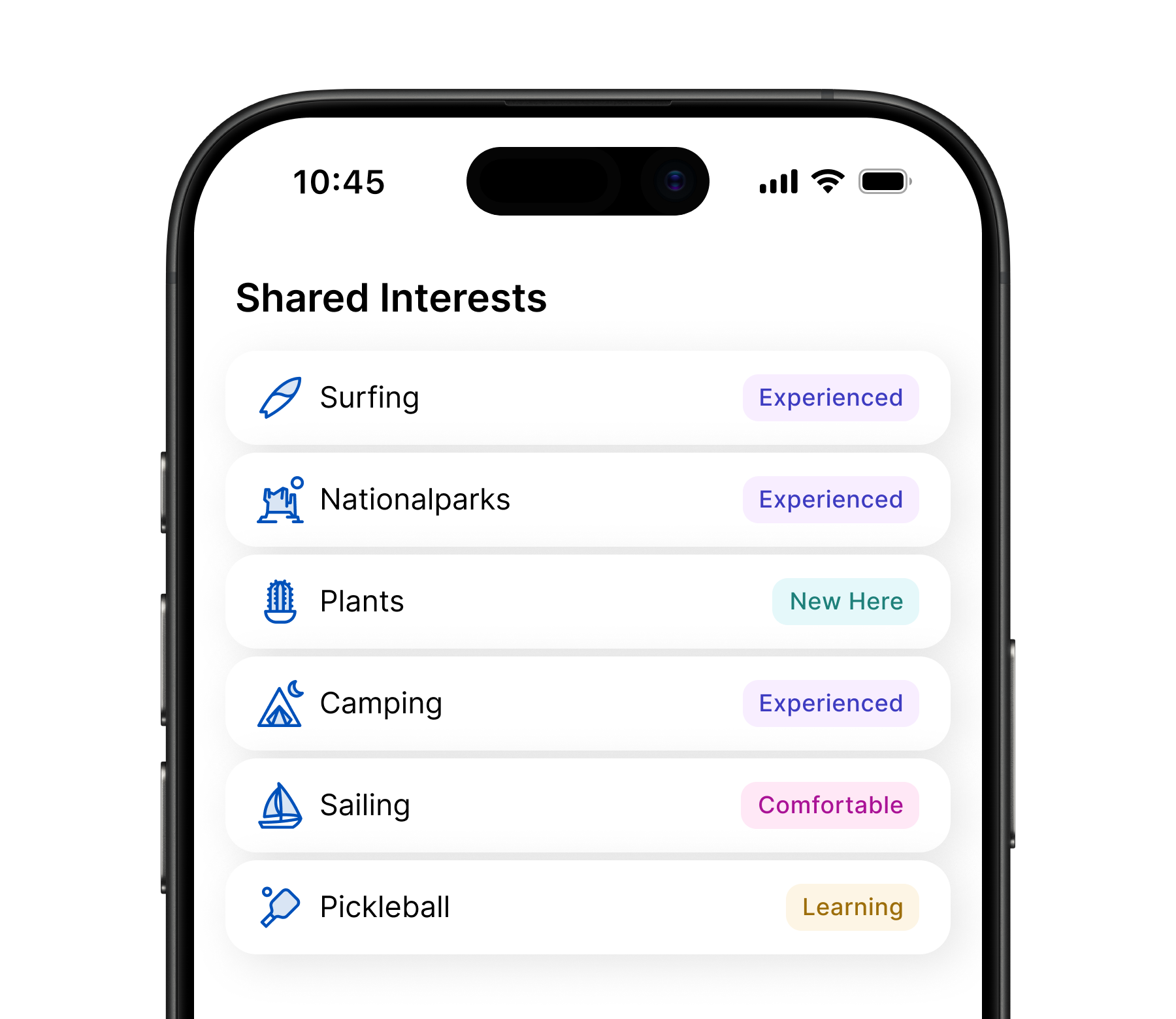
See what matters.
The source-to-pay initiative was focused on creating a cohesive, configurable dashboard framework to unify multiple enterprise solutions into one scalable experience.
The framework was developed in close collaboration with 10 strategic customers to ensure consistency, flexibility, and real-world relevance.
Product
Duration
Tools
My Services
Dashboard Framework, SAAS Platform, B2B
2023 – Current
Figma, Zeroheight, Pendo, Jira, Confluence & Aha
Visual Design, UX Research, Prototypes, Accessibility & QA
Company
My Role
Audience
Team
Partners
Jaggaer
Principal UX Designer
Source to Pay Customers
Multiple Cross-Functional Teams; each incl. 3-6 Developers, 1–3 QA, 1 Product Manager & 1 Product Owner
Harvard, Bosch, AstraZeneca, Kohler, Emirates, +5 more
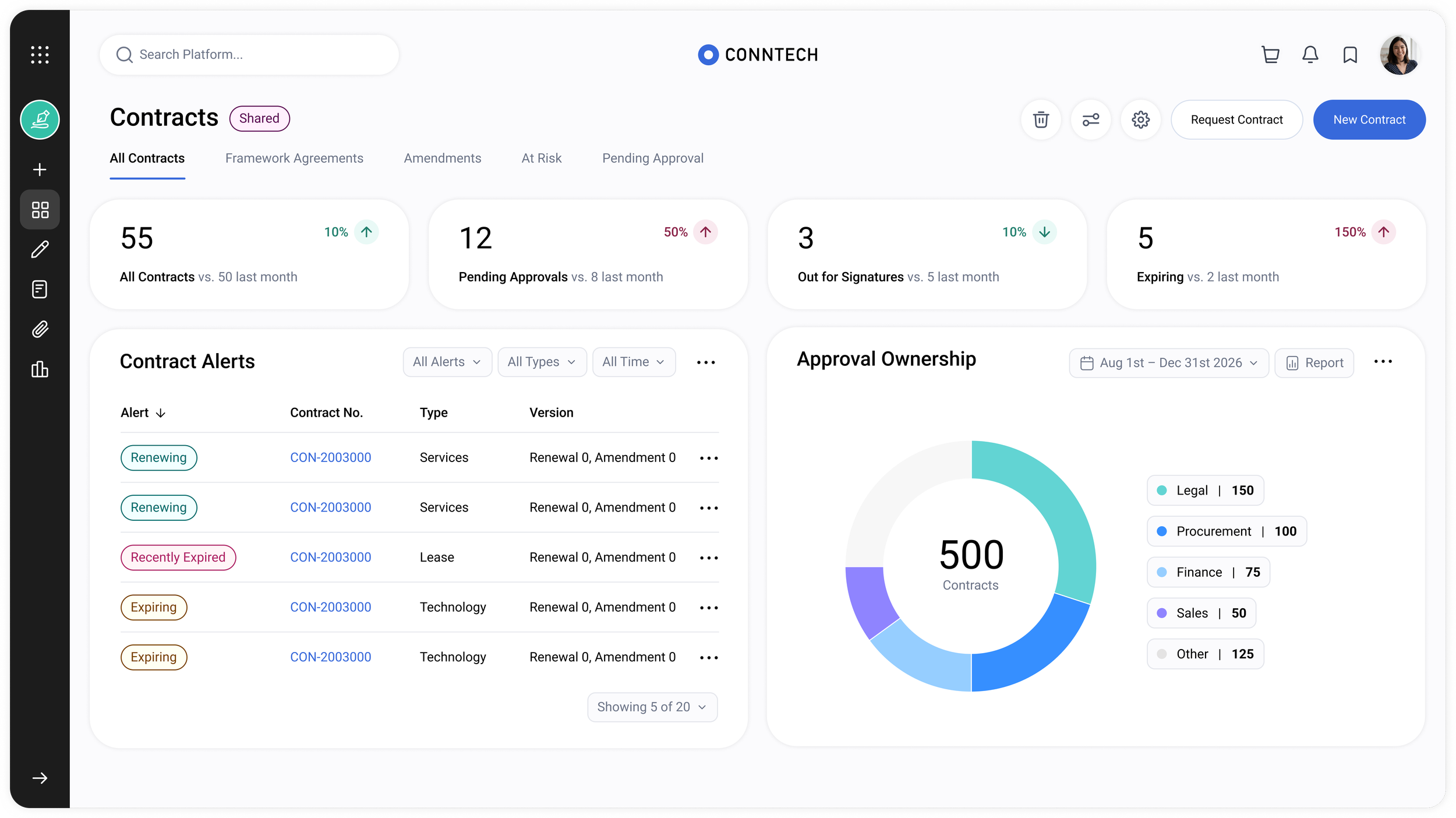
The contracts dashboard serving as the foundation for shaping the overall framework.
Today, the dashboards are rigid, offer very limited configuration options, and provide inconsistent experiences across solutions in both behavior and appearance. This makes it challenging for users to track daily activities, deadlines, and cross-solution tasks.
The fragmented experience stems from company mergers, years of feature growth, siloed teams, and limited UX-driven input, resulting in disconnected user interfaces.
Additionally, workflows vary widely across industries, and the current dashboards do not offer sufficient flexibility for customization. A one-size-fits-all approach cannot meet the unique needs of each industry.
Problem Statement
Create a flexible framework that allows customers to tailor content, layouts, and widgets to their workflows, while reducing onboarding time, improving efficiency, and minimizing complexity so users can focus on the content that matters.
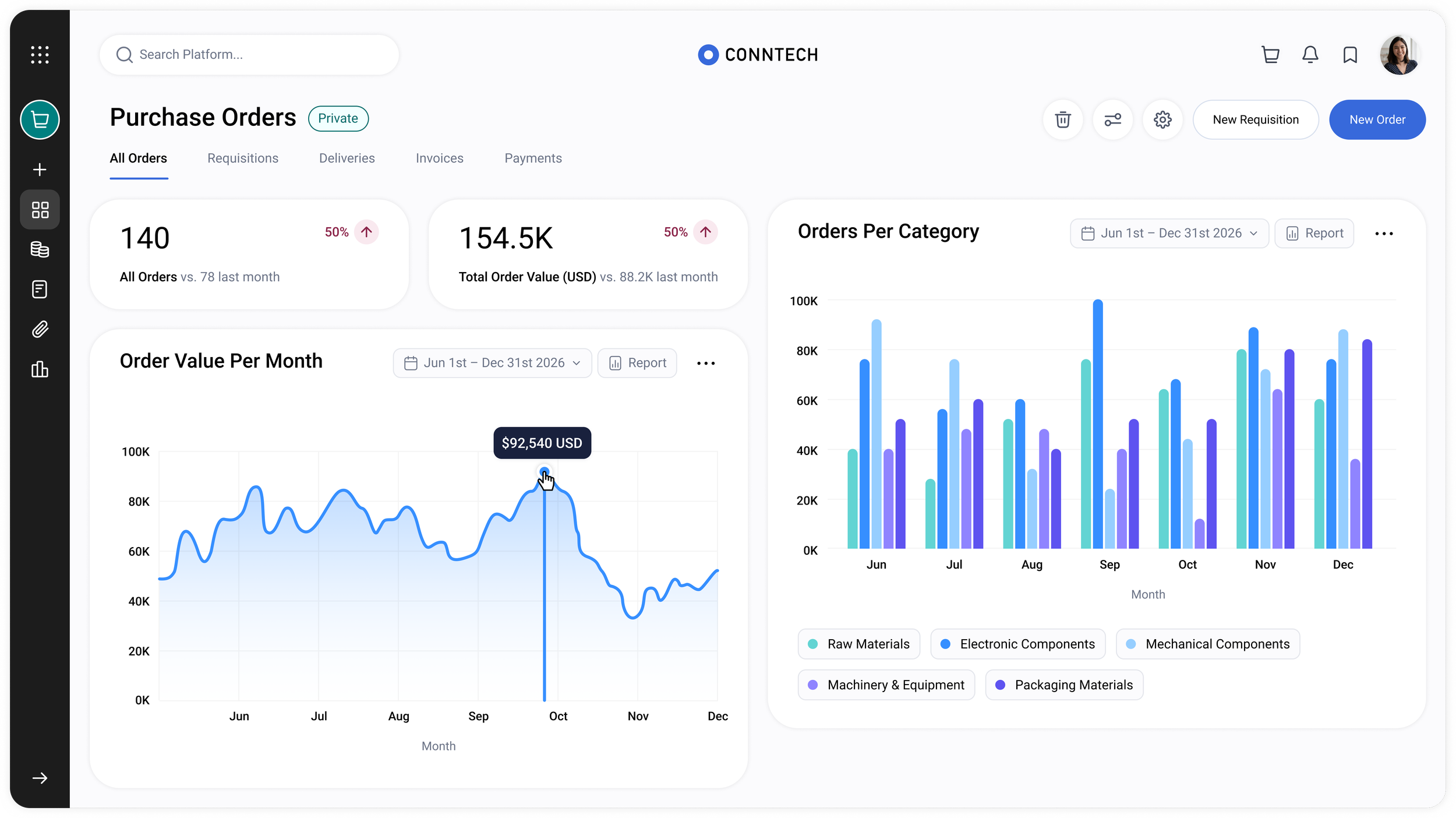
Expanding the framework to multiple other solutions upon customers request.
Goal and Mission
Jaggaer is a B2B SaaS platform offering a broad suite of source-to-pay solutions with complex workflows, serving multiple industries with a focus on manufacturing, higher education, and the public sector.
Introduction
Research & Discovery

10
Design Partners

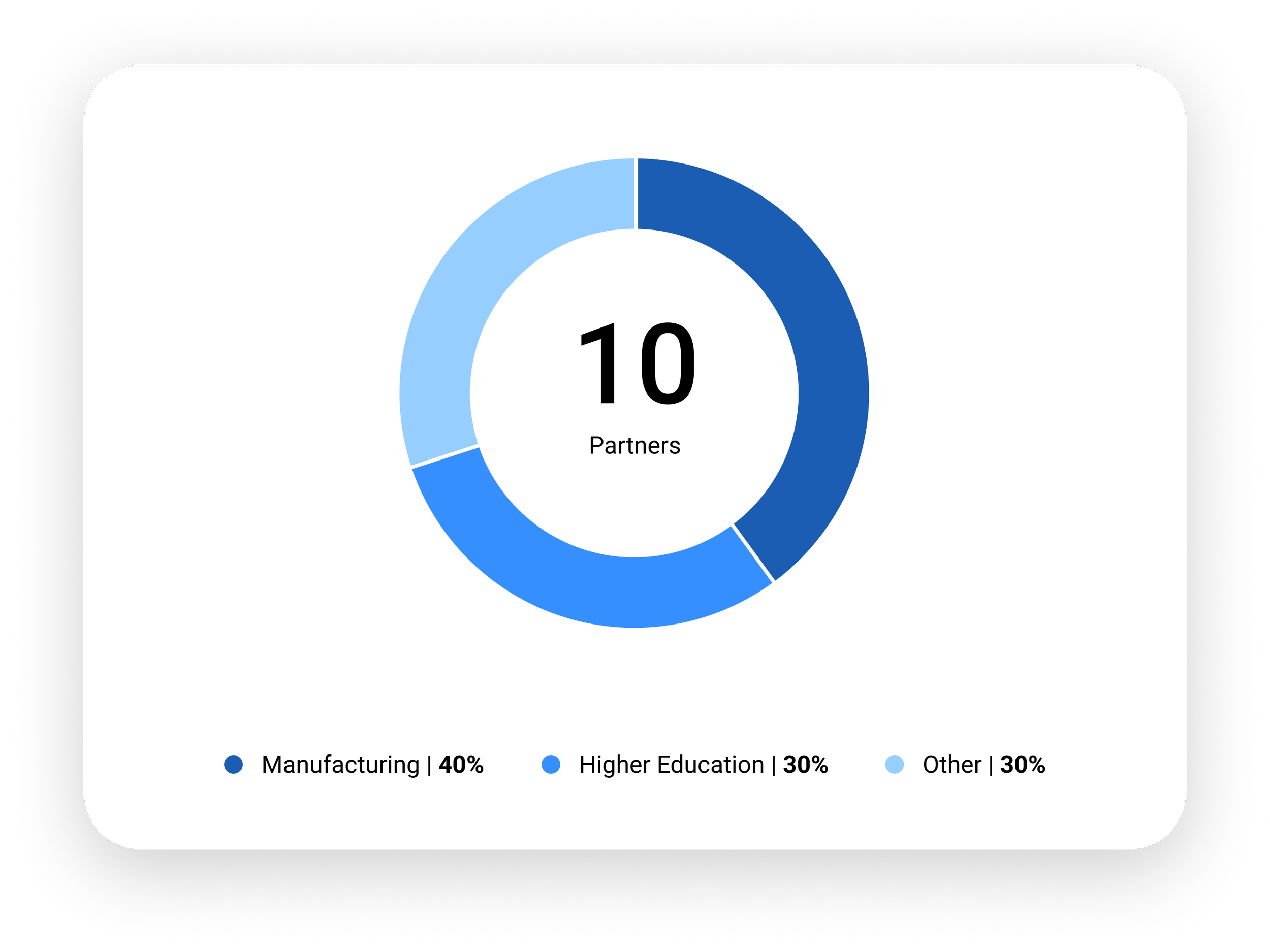
We partnered with 10 clients across several verticals such as:

Understand user priorities when interacting with dashboards, with a focus on task visibility and time-sensitive actions
Gather cross-industry insights to ensure the dashboard works for all necessary verticals such as Manufacturing, Higher Education, and more
Assess and validate user interaction with data, workflows, and personalization
Measure adoption between the new and previous dashboard
Continuously incorporate partner feedback into product decisions
Use data analytics to inform design decisions and optimize the overall dashboard experience
Monthly User/Partner Interviews
Legacy Dashboard Audit
Data-Driven Analysis (Pendo)
Competitive Landscape
Huddles & Design Jams
Prototype Testing
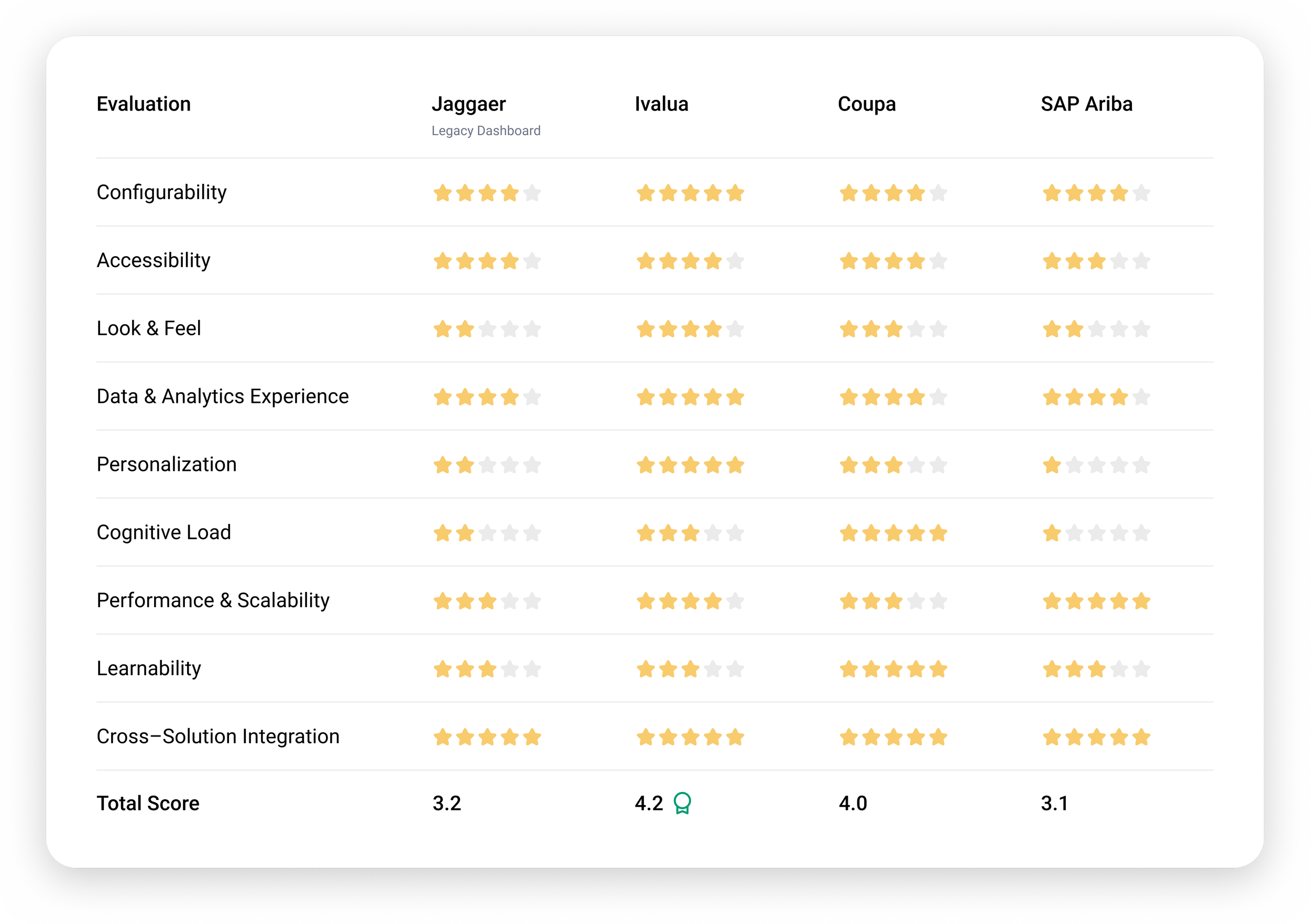
Competitive landscape dashboard audit (based on previous dashboard).
Objectives
Methods
Task Priority
Customers prioritize task visibility and time sensitivity over feature depth.Analytics Driven Development
Analytics revealed clear widget usage trends, setting priorities for development and removing widgets with low-engagement.Adoption Follows Awareness
Adoption increased significantly after guided webinars during beta rollout.Configuration Usability
Ensure configuration options are easily discoverable and intuitive to use. Failing that, users may miss tailored experience opportunities.
Key Insights
120+
Hours of Interviews

6
Targeted Solutions
At the start of this project, we recognized the importance of partnering with customers to understand the complexity of their industries. We collaborated with 10 clients across multiple verticals to ensure the dashboards were tailored to their unique workflows and needs.
We built meaningful partnerships when meeting with them monthly to gather insights. We conducted interviews, hosted feedback sessions and webinars, delivered presentations, and reviewed demos to ensure their needs and perspectives were reflected in the dashboard design.
Vertical Representation
The Beginning
Partner Perception
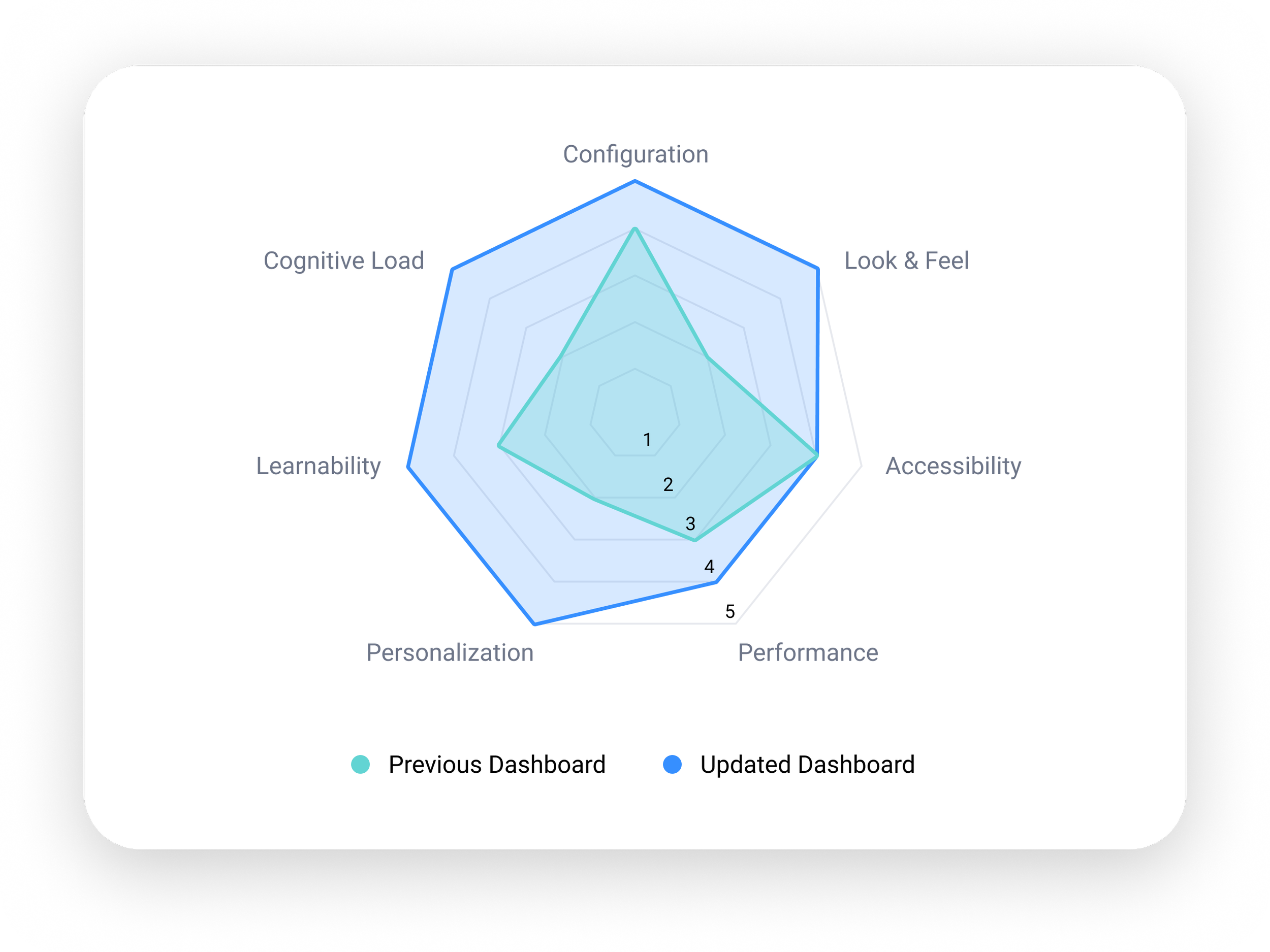
Partner Findings

Widget Enhancements
Effortless widget management:
rapid add, remove, filter & edit functions.

Tailored Content
Create tailored experiences
by duplicating dashboards &
adjusting content.

Cognitive Workload
Allow hide/reorder
irrelevant information to reduce
cognitive load.

Partners emphasized ease of configuration and personalization to improve individual efficiency,
driving our focus in this area.
Layout Preferences
Support seamless layout
adjustments with widget drag-
and-drop & resizing.
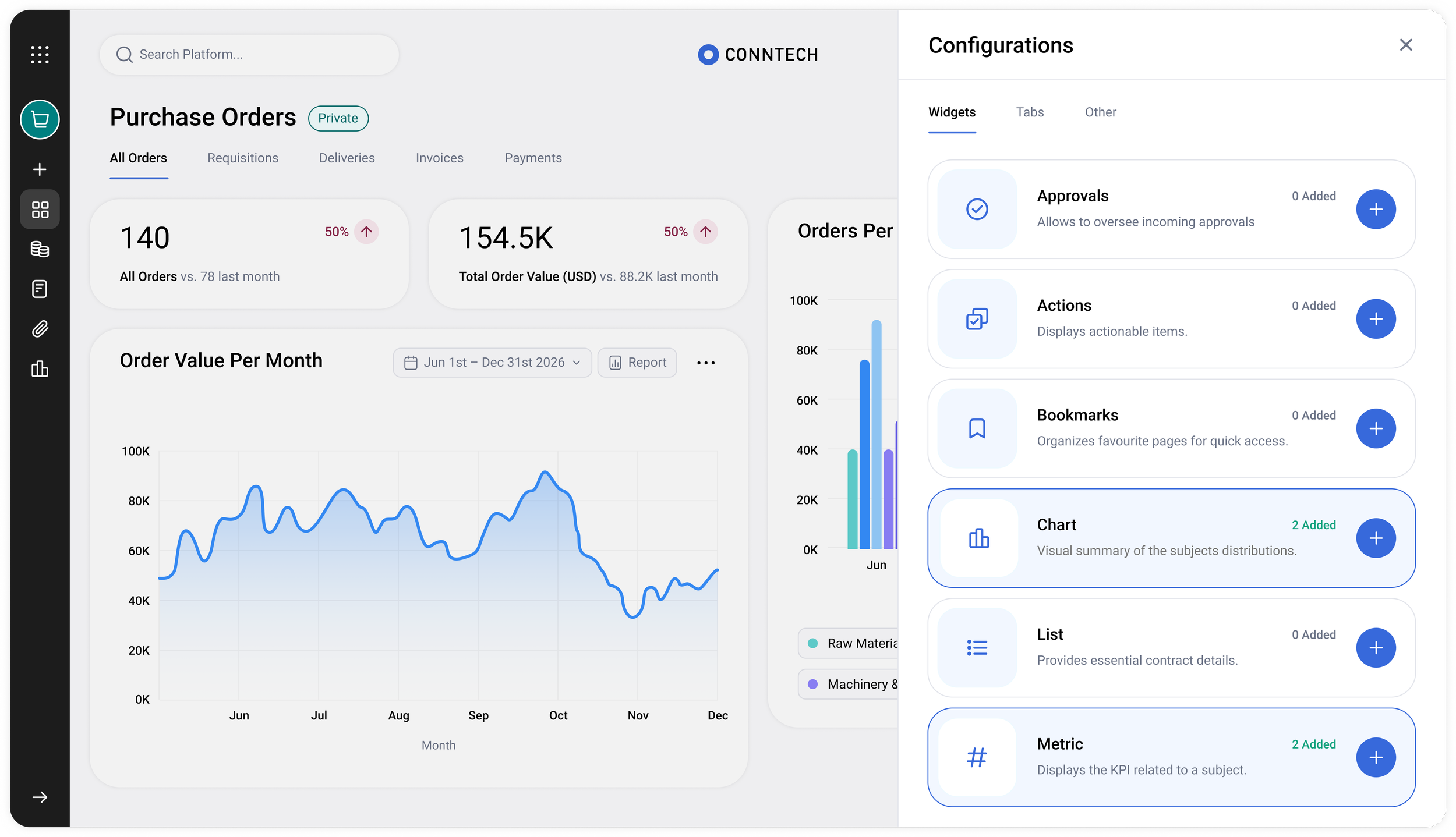
Widget inventory, oversight and access.
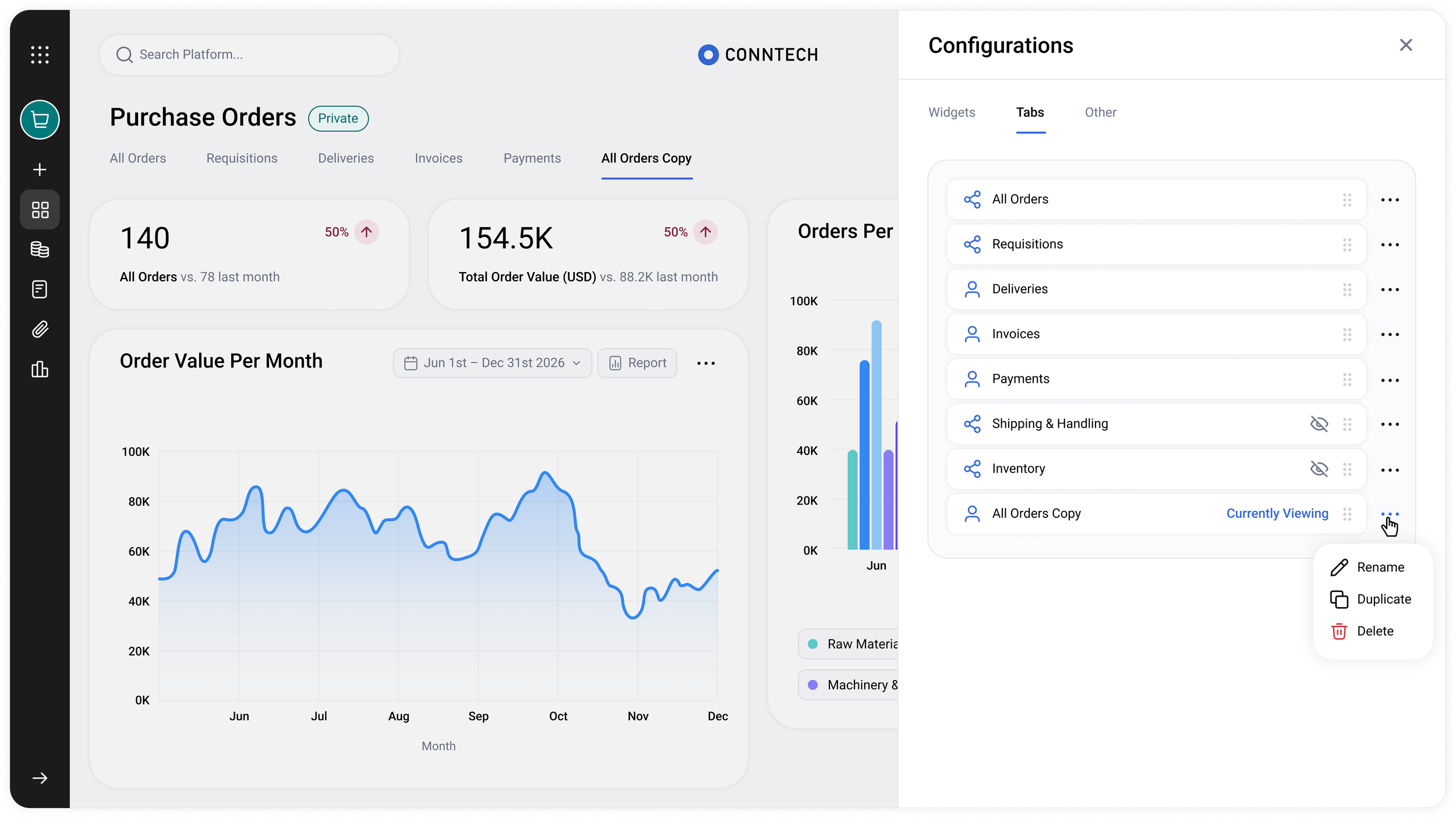
Full tab control and access management.
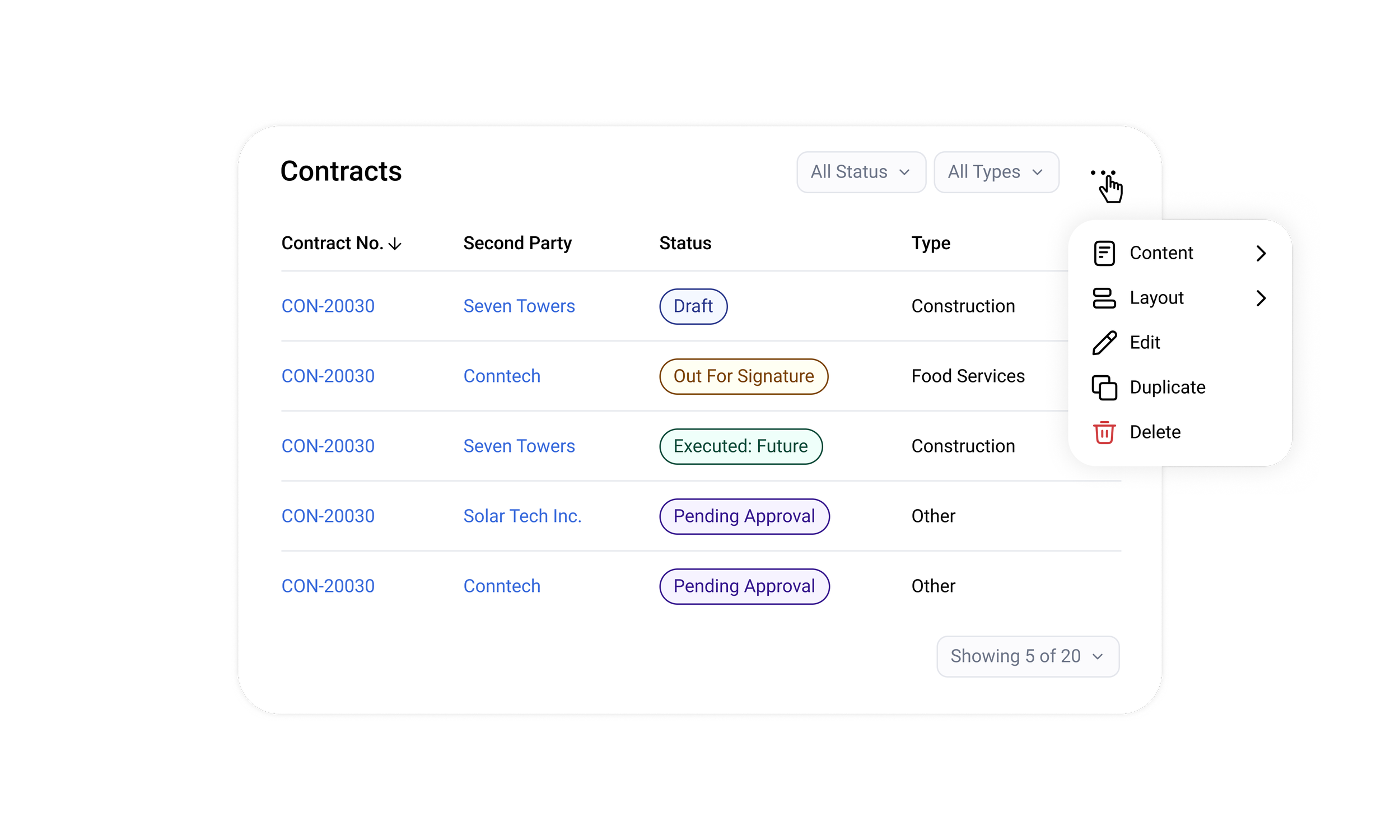
Widget content and layout configuration.
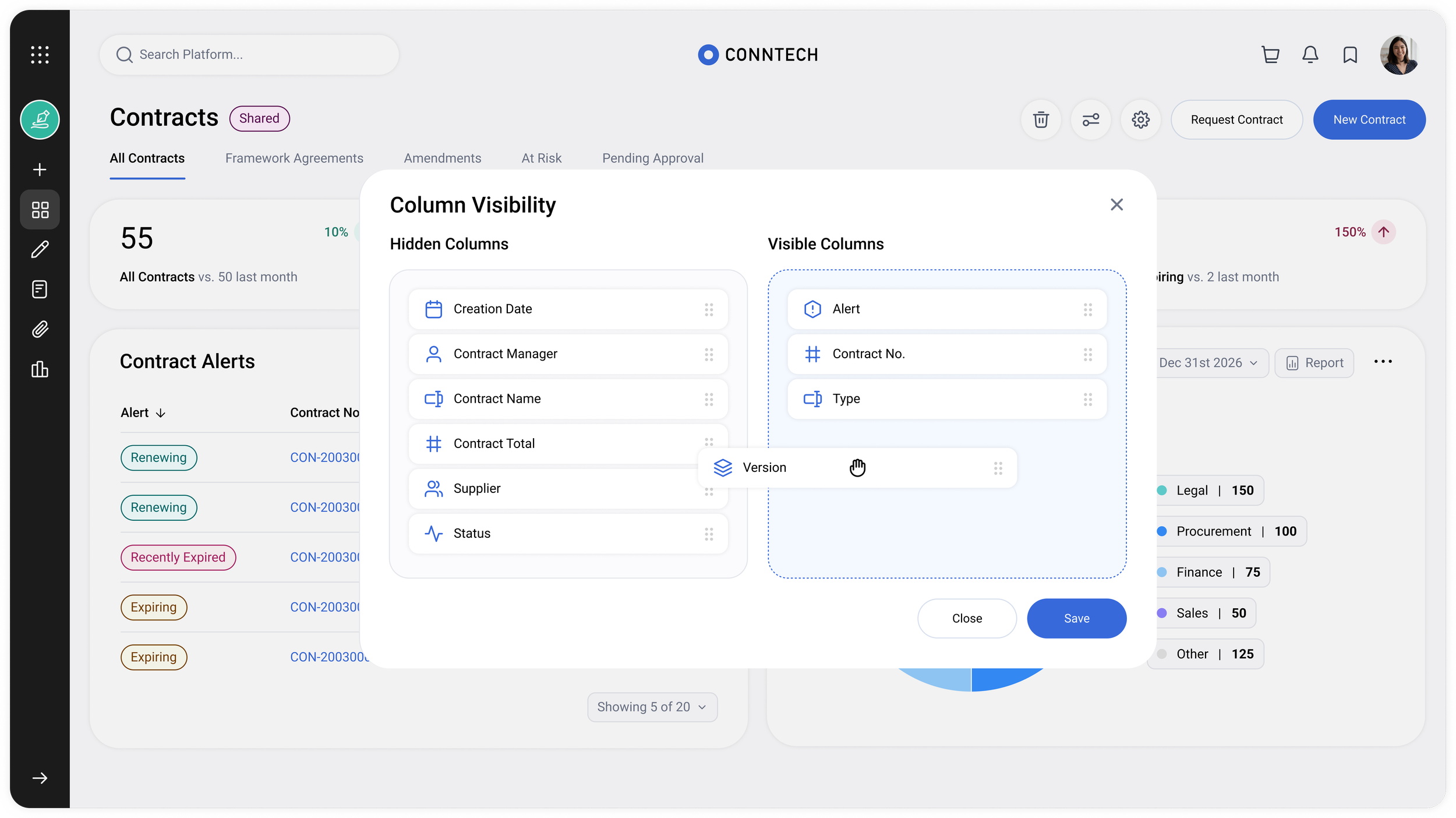
Adjustable table structure and column visibility for a clear data management.
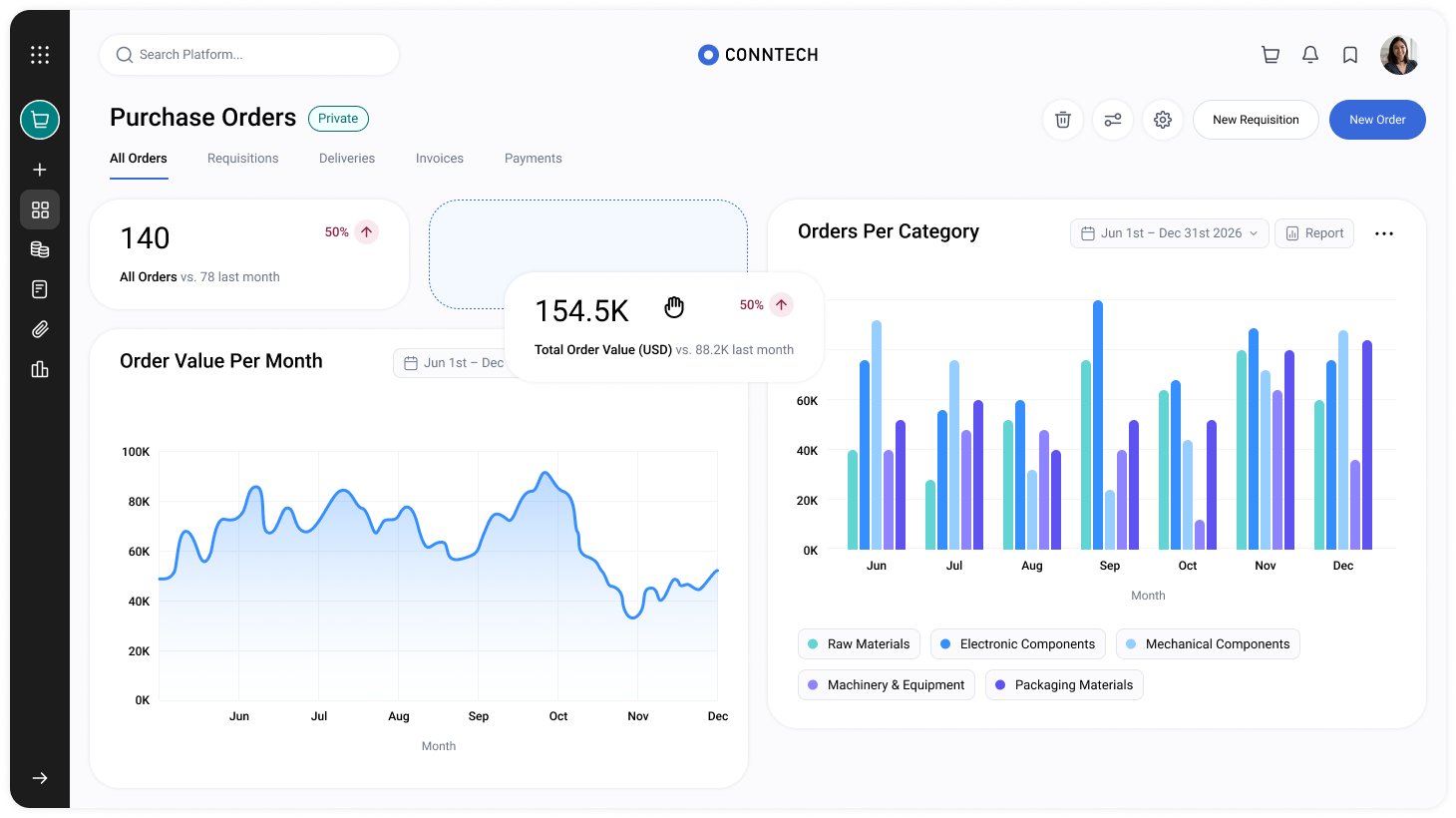
Modular interface with drag-and-drop functionality.
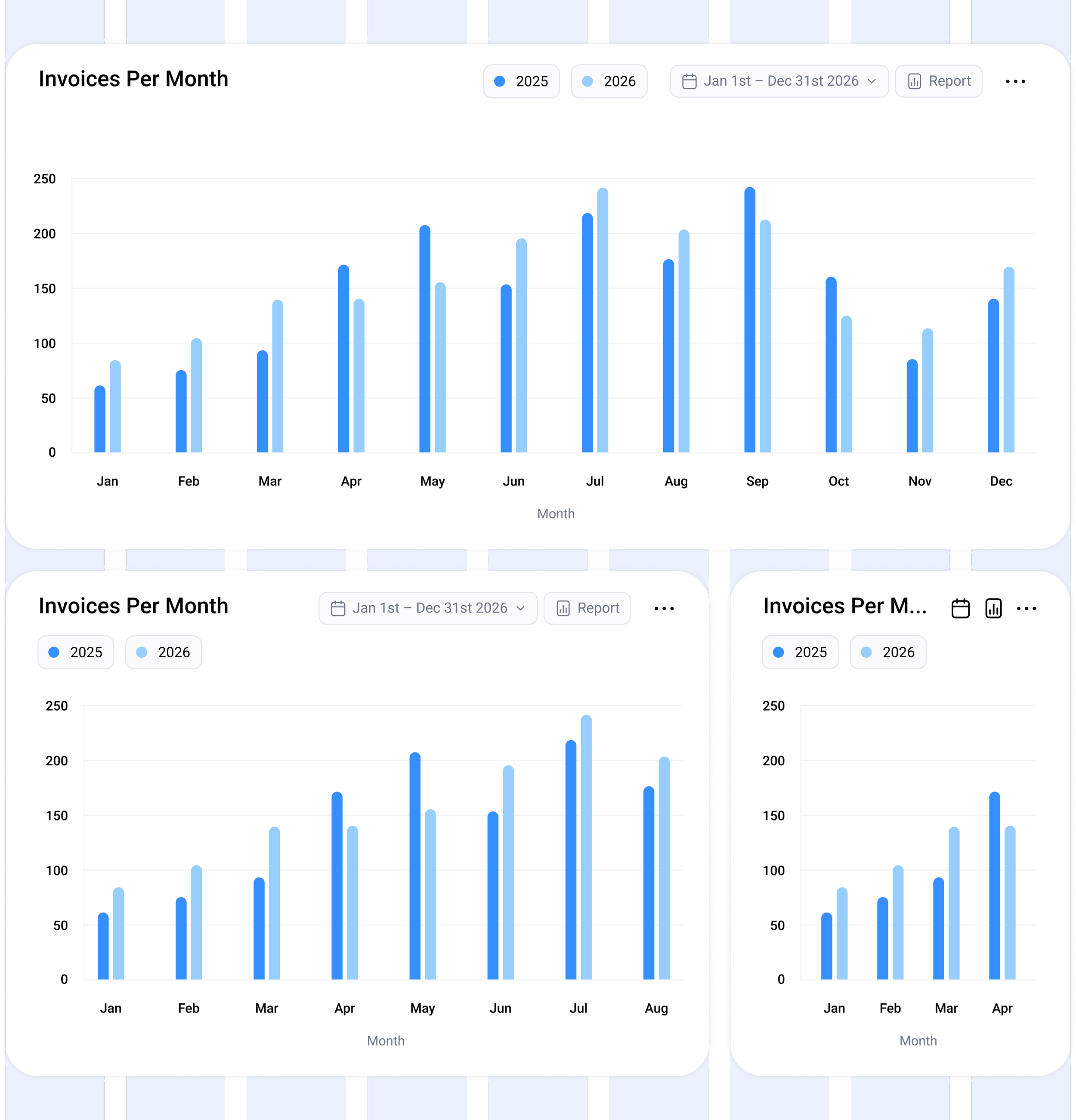
Responsive layout and adjustable widget sizes following a grid system.
A tailored, user-centric experience that translates large datasets into clear visual insights and seamlessly supports day-to-day activities, enabling users to become productive almost immediately with minimal setup.
Designed to align with real-world workflows and supports everyday decision-making. It adapts across use cases while staying simple and easy to use.
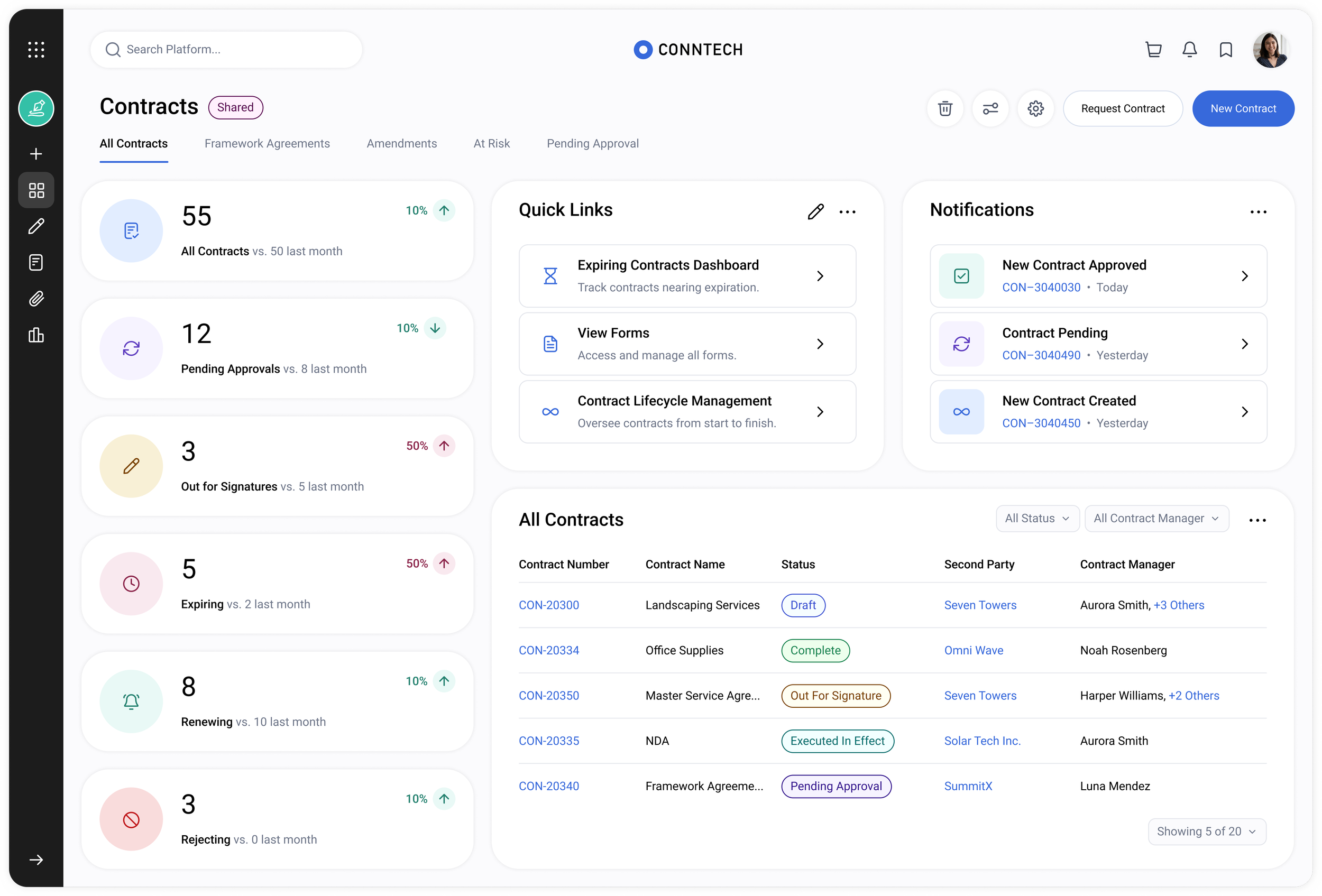
Variety of layout options showcases the flexibility and scalability.
Solution
Challenges
A key challenge during the design process was designing for unknown, highly dynamic content while still maintaining clarity and structure across varying customer configurations.
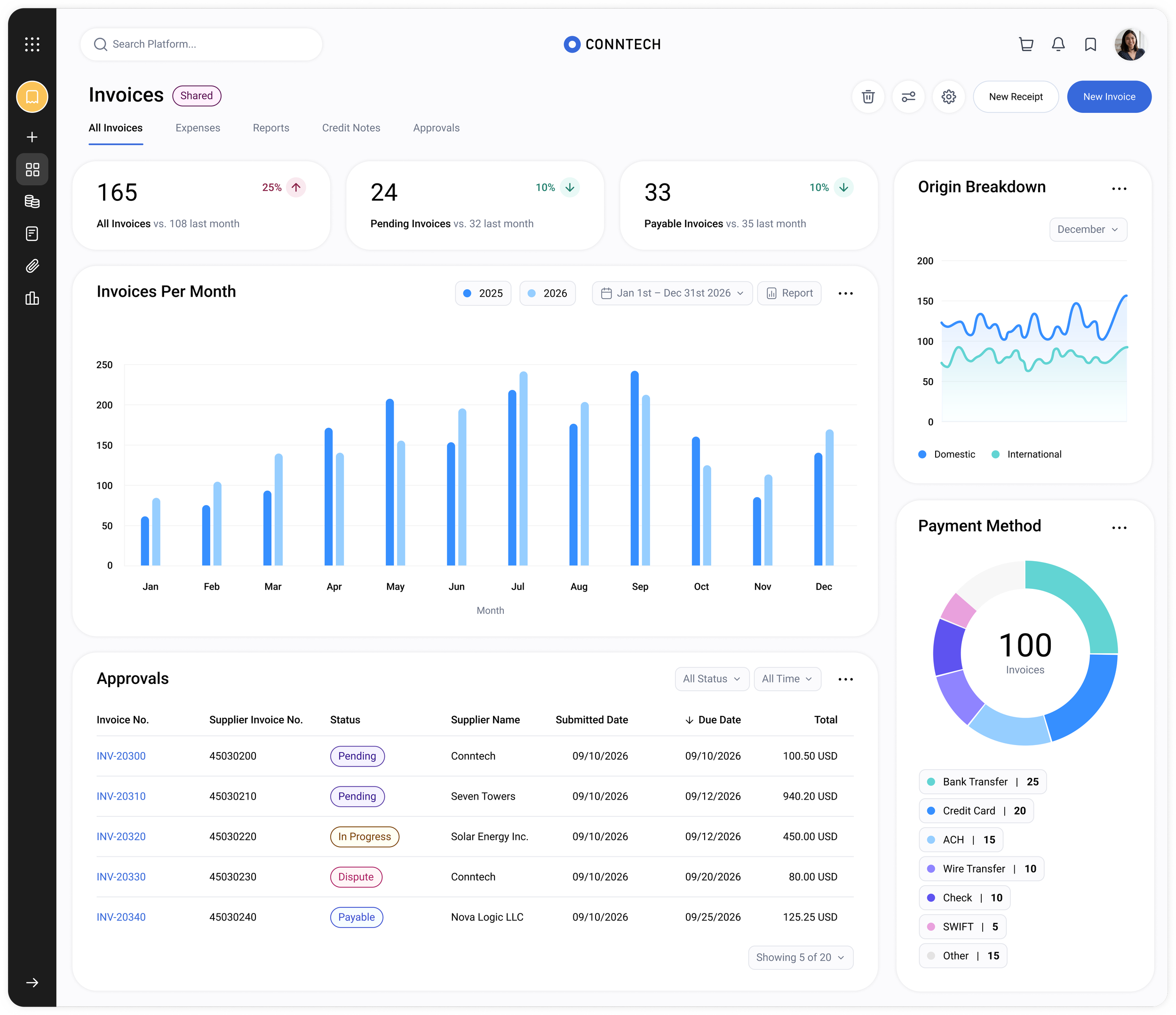
Maintain consistency across different solutions.
Controlled Framework
Flexibility needs structure to avoid added complexity.Iterative Validation
Continuous feedback validates design decisions and uncovers critical usability gaps.Functional Scope
Clarity and efficiency matter more than feature richness in complex enterprise tools.Cohesive Experience
Consistency enhances usability across large-scale systems.Rollout & Adoption
Webinars and guided rollouts significantly accelerate product adoption.
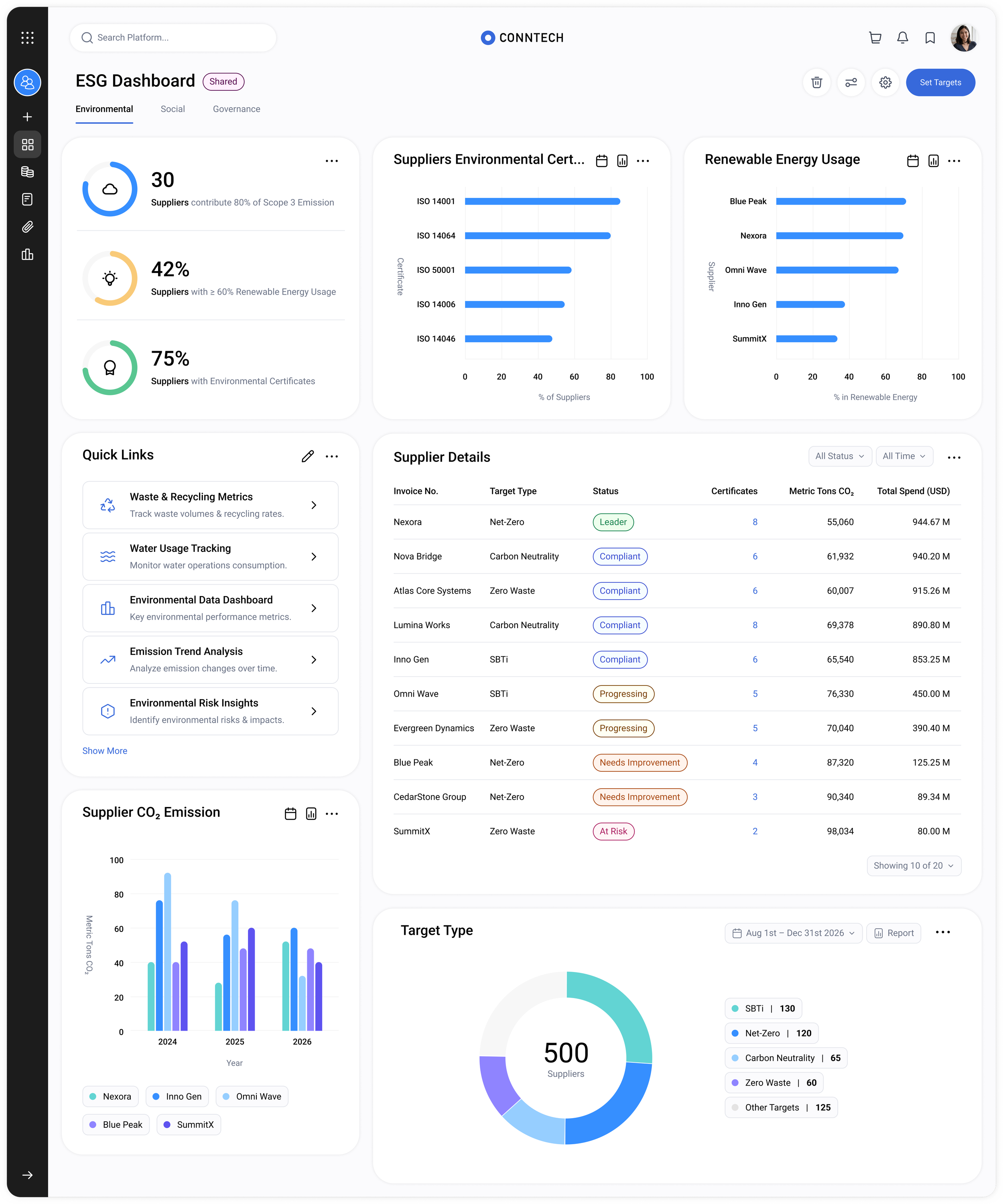
Lessons Learned
In Their Words
We received strong positive feedback, with a few highlights below.
“We’d like to see this rolled out across other solutions as soon as possible.”
— Partner“Everything feels clean, simple and intuitive from the start and it was easy for our whole team to adopt without any training.”
— Partner“Setup is incredibly easy and the dashboard was up and running in minutes. It gives us control without adding unnecessary complexity.
— Internal StakeholderSuccess Metrics

Increased Widget Engagement
Boosted widget usage by 46%
through cleanup and
usability improvements

User Satisfaction
Increased satisfaction by 35%
through improved experience & reduced complexity

Onboarding Time Reduction
Partners reported 40% faster onboarding with easier
configuration options.

Support Ticket Reduction
Decreased support tickets
by 18% through more intuitive
design and better quality
-
![]()
Mosaic Design System
-
![]()
Where